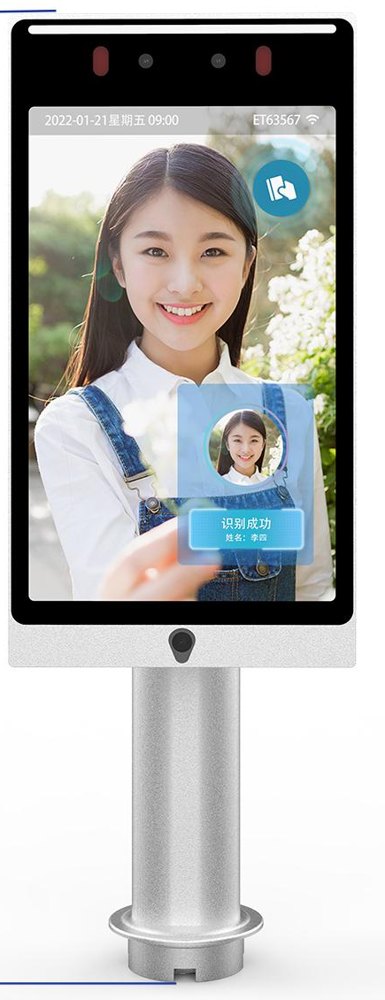
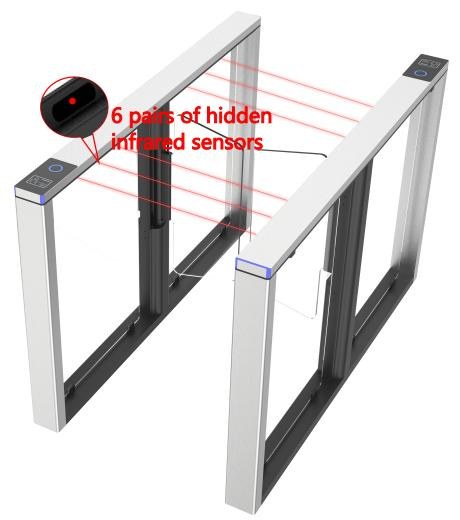
Reader recognition, access approval and confirmed passage are separate events. Emergency exit remains independent.
Offices
The right access for every person.
Connect staff, visitor and contractor permissions to office and coworking entrances.
Access by role, location and schedule
Visitor passes with an expiry time
One view across your office locations
01
Identify
Staff card, visitor QR or optional face recognition
02
Check access rules
Approved person, office and time window
03
Open the door
Command to a compatible door controller
04
Record the event
Access history and configured alerts
Visitor and contractor access can expire automatically. Equipment and emergency exit arrangements are checked for each site.
Warehouses
Control entry to the spaces that matter.
Manage staff and contractor access across warehouse entrances and restricted zones.
Permissions for roles and controlled zones
Shift-based access and contractor expiry
Event logs and device connectivity alerts
01
Identify
Staff or contractor credential
02
Check zone permission
Role, shift and approved location
03
Release the entrance
Supported turnstile or door controller
04
Log and notify
Access events and configured exceptions
Offline behavior and restricted-area rules are agreed for each site, with local safety and emergency access requirements.
Staffing & HR
Time records your team can review.
Connect clock-in terminals, shift schedules and manager review to your existing HR or payroll workflow.
Clock-in and clock-out with supported credentials
Missing records and exceptions for manager review
Reviewed exports to compatible HR and payroll systems
01
Record time
Supported terminal, card or staff app
02
Match the shift
Staff identity and scheduled working hours
03
Review exceptions
Manager checks corrections and missing records
04
Export approved records
Agreed HR or payroll system format
Door entry is not automatically a payroll record. Attendance rules, corrections and exports remain subject to your team’s review.
Vending
From payment to a confirmed dispense.
Connect compatible vending machines to MPay and other supported payment providers, with one view of orders and machine status.
QR payment and server-side payment confirmation
Dispense results and failed-order handling
Stock, sales and device status reporting
01
Select a product
Machine screen or connected app
02
Confirm payment
MPay or a supported provider’s confirmation
03
Dispense once
One machine command linked to the order
04
Confirm and reconcile
Dispense result, stock update or refund workflow
Payment success alone does not confirm delivery. We check machine-controller support and merchant onboarding first; uncertain dispense results need review before retrying.
More than a device installation.
Access & attendance
Members, staff and visitors. Entry permissions, time records and reception tools connected to your existing systems.
Connected vending
MPay and supported payment providers, with order tracking, dispense results, refunds and stock reporting.
Business integrations
Apps, memberships, HR and management dashboards. A clear view of devices and operations across your locations.
Integration scope depends on the equipment interface, controller and payment-provider support. QR and card alternatives can be included alongside face recognition.
How the connection works.
We connect the business rules to the device, then bring its result back into your system.
Your business systems
Member apps, visitor passes, staff schedules, product catalogues and payment orders.
↔
Synexa integration
Permissions, supported APIs, device commands and event records in one managed workflow.
↔
Your hardware
Compatible face readers, QR terminals, access controllers, turnstiles and vending machines.
Already have equipment? Send us its model and your intended workflow. We will check the available interface, network requirements and supported feedback before defining the integration.
Have a device or a workflow in mind?
Tell us what you use and what you want to connect.